Mobile Homepage Overview
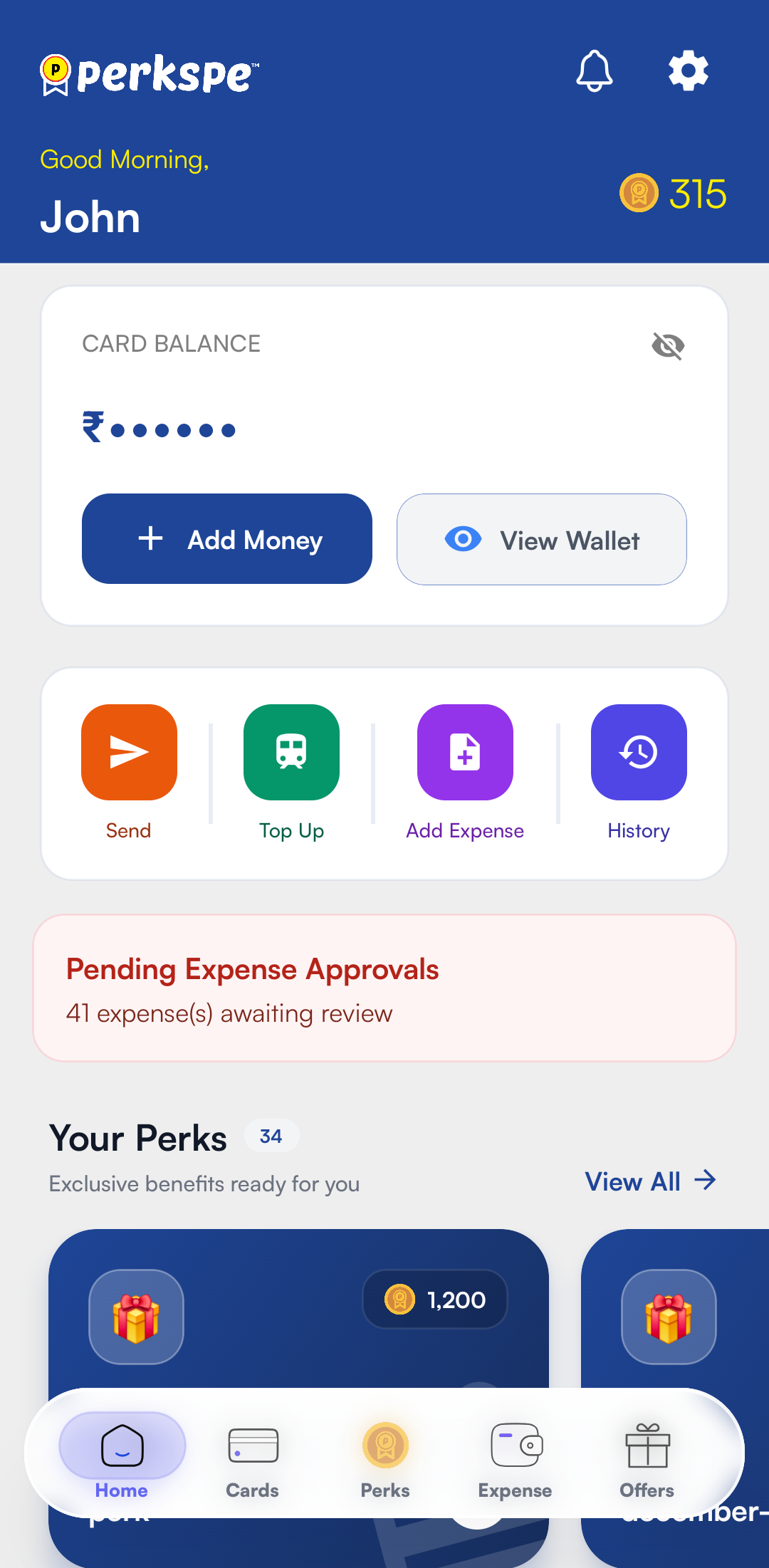
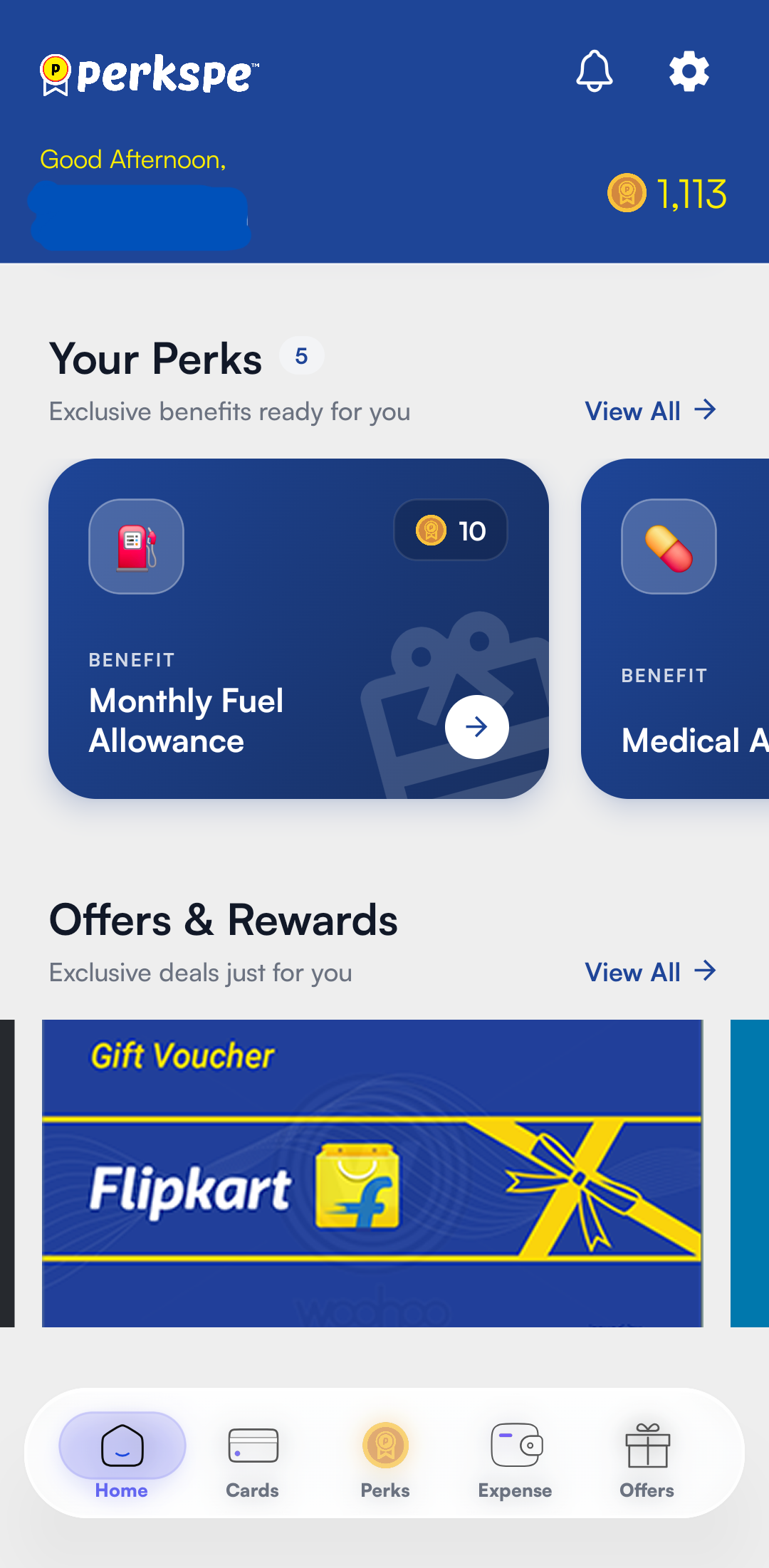
The Home screen is your central dashboard for all PerksPe activities in the mobile app. It provides real-time visibility into your balances, perks, and available offers.
1. Digital Wallet & PEP Coins
The wallet section provides a clear view of your available spending power.
Available Balance
See your current PEP Coins total at a glance.
Specific Wallets
Individual trackers for your assigned perks (e.g., Food, Fuel).
Transaction View
Tap to see a detailed audit trail of your earnings and redemptions.
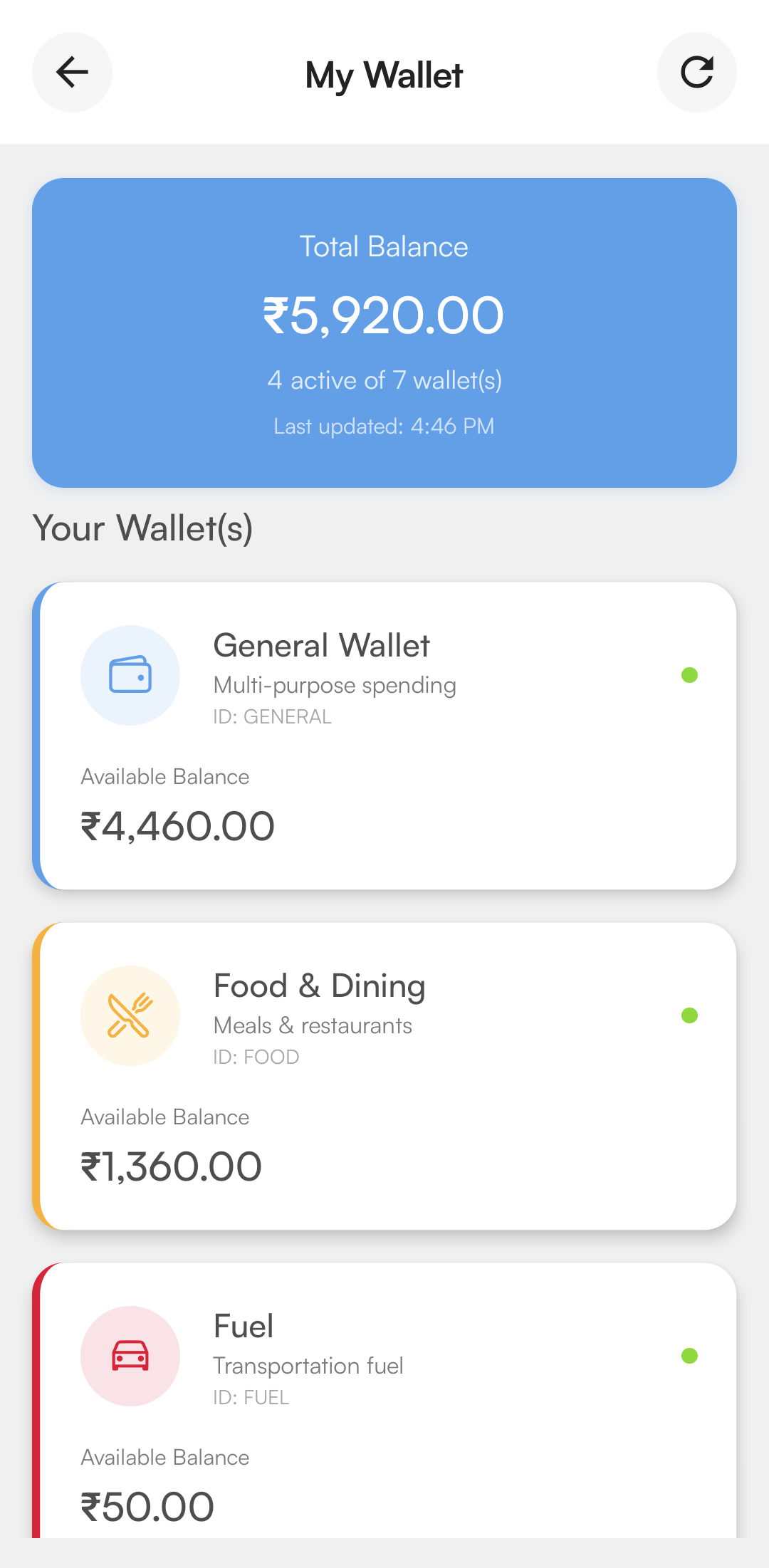
PEP Coins are allocated against company perks. Once a perk is redeemed, the corresponding value is credited to the applicable wallet (such as General, Meal, or Fuel) on your linked RuPay card. How the funds can be used depends on the wallet type and your organization's benefit policy.
4. PerksPe RuPay Card
Manage your payment method directly from the app.
Order Physical Card
Apply for a physical PerksPe RuPay card to swipe at retail locations.
Digital Controls
Track your card status and view linked balances.
5. Available Perks
This dynamic section lists all the benefits currently provided by your organization.
Meal
Spend at restaurants, cafes, and delivery apps.
Medical
Pharmacy purchases and medical diagnostics.
Fuel
Fuel stations across the country.
Marketplace Perks
Redeem eligible perks directly through the Marketplace instead of your RuPay card.